How to Automate Bookkeeping for an Accounting Practice
Most automation articles compare tools. This one is about the workflow - how to actually implement automation across a multi-client practice, what to automate first, and where human oversight still matters.
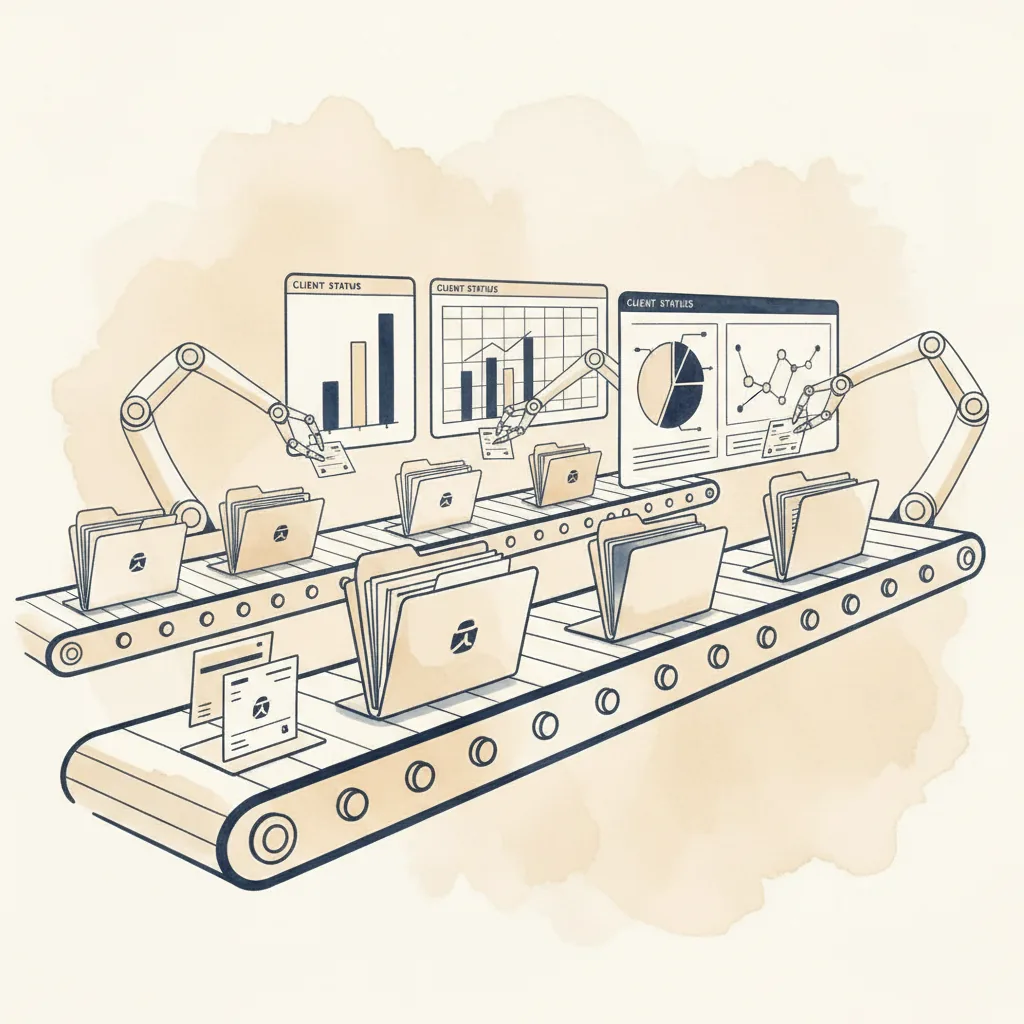
This is not a tool comparison
If you want side-by-side reviews of individual bookkeeping tools, we have a separate article for that. This guide is about something different: the workflow of implementing bookkeeping automation across an accounting practice with dozens (or hundreds) of clients.
Because buying a tool is the easy part. The hard part is figuring out which layer of your bookkeeping workflow to automate first, how to stack multiple tools together without creating new bottlenecks, and how to scale from a pilot with three clients to a full rollout across your entire client base.
We’ve spoken with enough practices to know that the gap between “we bought an automation tool” and “our practice actually runs differently now” is wider than most vendors acknowledge. This article is about closing that gap.
The three layers of bookkeeping work
Before choosing any tool, you need a clear picture of what “bookkeeping” actually consists of in your practice. Most automation vendors talk as if bookkeeping is one activity. It isn’t. It breaks down into three distinct layers, each with its own bottleneck and its own automation approach.
Layer 1: Data capture
Getting source documents - receipts, invoices, bank statements - into a digital, structured format. This includes photographing receipts, extracting data from PDFs, and pulling transactions from bank feeds. The work is tedious and error-prone when done manually, but it is well-understood and the automation is mature.
Tools that address this: Dext, AutoEntry, platform bank feeds, client mobile apps. CodeIQ also covers this layer - its invoice sync feature extracts data from dragged-and-dropped receipts, invoices, and scanned documents, then posts them as invoices to your accounting software before transaction processing begins.
Layer 2: Transaction coding
Taking each bank transaction and assigning it the correct account code, VAT classification, and transaction type. This includes detecting inter-account transfers, matching payments against outstanding invoices, and handling edge cases like reverse charges or mixed-use expenses. This is where the bulk of bookkeeping time goes for most practices.
Tools that address this: Platform bank rules (basic), AI-powered coding pipelines like CodeIQ (comprehensive).
Layer 3: Review, posting & reconciliation
Quality-checking the coded transactions, posting them to the accounting platform, and reconciling them against bank feeds. This layer is where professional judgement lives. It is also where automation fails most visibly if the upstream layers have errors - a bad account code that gets posted automatically is worse than one that gets caught in review.
Tools that address this: Bulk approval workflows, direct platform posting, auto-reconciliation features.
Here is the point that most automation discussions miss: these are complementary layers, not competing products. A data capture tool does not replace a coding engine. A coding engine does not replace professional review. Most practices need automation at all three layers, and the tools that serve each layer are different.
The mistake we see most often is a practice that automates Layer 1 (receipt capture) and wonders why their bookkeeping workload has barely changed. The answer is usually that Layer 2 - transaction coding - was the real bottleneck all along, and Dext does not solve that problem. Conversely, a practice that automates Layer 2 but still has staff manually typing invoice data from photographs has automated the wrong end of the problem for those particular clients. (Worth noting: some coding tools now handle data capture too - CodeIQ’s invoice sync means you don’t necessarily need a separate tool for Layer 1.)
Audit your bottleneck first
This step is less exciting than shopping for software, but it determines whether your automation investment will actually change anything. Most practices have a strong intuition about where their time goes. That intuition is frequently wrong.
The three-client time audit
Pick three representative clients: one simple (predictable transactions, single bank account), one medium (multiple accounts, mix of transaction types), and one complex (high volume, multi-currency, lots of edge cases). For each, time the following for one month’s work:
Data capture time
How long does it take to get all source documents into the system? Include chasing clients for missing receipts, scanning, uploading bank statements, and any manual data entry from paper documents.
Transaction coding time
How long does it take to code every bank transaction? Include selecting account codes, assigning VAT rates, identifying transfers, matching invoice payments, and handling anything ambiguous. This is the line-by-line work.
Review and posting time
How long does it take to review the coded work, correct errors, post to the platform, and reconcile? Include any back-and-forth with clients about unclear transactions.
Administrative overhead
Everything else: switching between clients, logging into different platforms, maintaining bank rules, updating templates. This is often larger than people realise.
When we’ve seen practices do this exercise honestly, the results are usually revealing. A typical breakdown for a medium-complexity client looks something like this:
| Activity | Typical % of time | Best automation target |
|---|---|---|
| Data capture & entry | 15–25% | Dext, AutoEntry, bank feeds, CodeIQ invoice sync |
| Transaction coding | 40–55% | AI coding pipeline |
| Review & corrections | 15–20% | Bulk approval workflows |
| Posting & reconciliation | 10–15% | Direct platform posting |
| Admin overhead | 5–10% | Multi-client session management |
If your numbers look like this, automating data capture alone would address roughly 20% of the workload. Automating transaction coding would address 50%. That is a significant difference in ROI, and it should dictate where you spend your automation budget first.
Building the automation stack
A complete practice automation stack connects all three layers. The tools are complementary - not competing. Here’s how the pieces fit together.
Data capture layer
For practices where clients generate paper documents, a tool like Dext or AutoEntry digitises receipts and invoices, extracts structured data, and pushes it to the accounting platform. CodeIQ covers this too - you can drag and drop a batch of receipt scans, invoice PDFs, and photographs directly into the tool, and it extracts the relevant accounting data and posts them as invoices to your software. For clients who already bank digitally and don’t generate much paper, this layer may simply be the platform’s bank feed pulling transactions automatically.
The goal is zero manual data entry. Every transaction and every source document should arrive in your workflow digitally without anyone typing numbers from a piece of paper.
Transaction coding layer
This is where the biggest time savings live. For simple clients with predictable, recurring transactions, the accounting platform’s built-in bank rules may be sufficient. For clients with higher volumes, more transaction variety, or complex VAT requirements, an AI-powered coding pipeline processes the entire bank statement at once - assigning account codes, classifying VAT, detecting transfers, and matching invoices.
CodeIQ handles this layer across Xero, QuickBooks, Sage, and Pandle. The key differentiator from bank rules is that a coding pipeline generalises: it handles transactions it has never seen before, not just ones that match an existing rule.
Review and posting layer
Once transactions are coded, the review workflow inverts. Instead of coding each transaction one by one, the bookkeeper reviews the output in bulk: high-confidence transactions get approved together, and only low-confidence or unusual items get individual attention. The approved work then posts directly to the accounting platform.
This changes the nature of the work from production (doing the bookkeeping) to quality assurance (checking the bookkeeping). It is a fundamentally different skill and a fundamentally different time requirement.
The full stack in practice
Consider a client with 350 monthly bank transactions and a shoebox of receipts. The workflow with a complete automation stack:
Dext processes the receipts and pushes structured invoice data to the accounting platform (or the receipts and invoices are dragged straight into CodeIQ, which extracts the data and posts the invoices directly). The bank feed pulls transactions automatically. CodeIQ then processes the bank statement through its pipeline, assigns account codes from the client’s chart of accounts, classifies VAT, detects the two inter-account transfers, matches 12 transactions against those now-outstanding invoices, and flags 15 items where confidence is below the threshold. The bookkeeper reviews the 15 flagged items, corrects three of them, and bulk-approves the remaining 335 transactions. CodeIQ posts the completed work back to the platform.
Total time: roughly 15 minutes of review, compared to 2–3 hours of line-by-line coding. And the three corrections the bookkeeper made are now stored - CodeIQ will get those right next month.
Scaling from 10 to 100 clients
The real test of practice automation is not whether it works for one client. It’s whether the time saving compounds across your entire client base. Here’s what changes as you scale.
Standardise your charts of accounts
Practices that use template charts of accounts with consistent naming conventions see dramatically better automation results than those where every client has a bespoke chart. If one client calls it “Motor Vehicle Expenses” and another calls it “Car Running Costs” and a third calls it “Travel - Company Vehicle”, the automation has to learn three separate mappings for the same thing. Standardise where possible. The clients who need bespoke charts are the exception, not the rule.
The pattern compound effect
With tools that use cross-client learning, every correction your team makes improves accuracy for every future client. The tenth client you process benefits from the patterns learned on the first nine. By your fiftieth client, the system has seen most common UK merchants and knows how your practice codes them. This is the network effect that makes automation genuinely better at scale, not just faster.
Staff reallocation, not staff reduction
The most successful automation implementations we’ve seen don’t reduce headcount. They reallocate it. Staff who previously spent 80% of their time on data entry and transaction coding now spend that time on advisory work, client communication, and higher-value review. The practice handles more clients with the same team, and the work the team does is more interesting and more billable.
Worked example: a 30-client practice
A practice with 30 active bookkeeping clients processes roughly 6,000 bank transactions per month. Before automation, two full-time staff members spend most of their time on transaction coding and data entry. After implementing a three-layer automation stack:
- Transaction coding time drops from ~120 hours/month to ~20 hours/month of review
- The same two staff members now handle 60 clients, plus advisory work
- Error rates drop because automated VAT classification is more consistent than manual
- Pattern accuracy improves each month as corrections accumulate
- Staff satisfaction increases - nobody misses the data entry
The numbers will vary by practice. The pattern is consistent: automation at the coding layer delivers disproportionate time savings because that is where the majority of the work lives.
What not to automate
Enthusiasm for automation can overshoot. There are parts of the bookkeeping workflow that should remain firmly in human hands, and trying to automate them creates more risk than value.
Year-end adjustments
Depreciation, accruals, prepayments, and other period-end entries require professional judgement about the specific client’s circumstances. These are low-volume, high-impact entries where a mistake is expensive. Keep them manual.
Unusual one-off transactions
A client selling a vehicle, receiving an insurance payout, or making a director’s loan repayment. These happen rarely, carry material amounts, and often have tax implications that depend on context the automation cannot see. Flag them for human review every time.
Client communications
When a transaction is ambiguous and needs clarification from the client, that conversation should be human-to-human. Automated chase emails about missing receipts are fine. Automated questions about whether a £4,000 payment to a supplier was a prepayment or an expense are not.
The review itself
The human review layer is non-negotiable. Automation should produce the work. A qualified person should check it. Even when confidence scores are high, a regular sample review catches the edge cases that build your trust in the system - and occasionally catches genuine errors that matter. Automation handles the volume. Professional judgement handles the exceptions.
The practical rule is this: automate the repetitive, pattern-driven, high-volume work that follows consistent rules. Keep human hands on anything that requires context, judgement, or client-specific knowledge. This is not a limitation of the technology. It is good professional practice, and it will remain true even as the technology improves.
Implementation roadmap
A successful automation rollout happens in phases. Trying to switch every client to a new workflow in week one creates chaos. Here is a practical three-month timeline.
Month 1: Pilot with 3 clients
Choose three clients that represent your typical mix: one simple, one medium-complexity, one challenging. Set up the automation stack and run them through the full workflow. Compare the output against what your team would produce manually. Measure:
- Time per client (before and after)
- Accuracy: how many transactions needed manual correction?
- VAT accuracy specifically (this is where automation earns or loses trust)
- Staff feedback: is the review workflow intuitive?
Train one team member thoroughly. They become your internal champion and trainer for later phases.
Month 2: Expand to 10–15 clients
Take the lessons from the pilot and apply them to a broader set. This is where pattern learning starts to compound - corrections from the first three clients improve accuracy for the next ten. During this phase:
- Standardise charts of accounts where possible
- Establish a review checklist: what to spot-check, what to approve in bulk
- Train a second team member using the first as mentor
- Decide which clients stay on bank rules only (simple) and which use the full pipeline (complex)
You should see measurable time savings by the end of month two. If you do not, something in the stack is not working and you need to diagnose before scaling further.
Month 3: Full rollout
Extend automation to the remaining client base. By this point, the pattern library is well-populated, your team knows the review workflow, and you have a clear picture of which clients suit which level of automation.
- Onboard remaining clients in batches of 10–15
- Track time savings at the practice level, not just per client
- Begin reallocating freed capacity to advisory or onboarding new clients
The key metrics to track: average time per client per month, correction rate (should decrease over time), and staff utilisation on non-bookkeeping work (should increase).
See the coding layer in action
The transaction coding layer is where most practices see the biggest time savings. Upload a bank statement to CodeIQ and see how the AI pipeline handles your data. Credit-based pricing from £5/month.
Try CodeIQFrequently Asked Questions
How do I start automating bookkeeping for my accounting practice?
Start by auditing where your team’s time actually goes. Time your workflow for three representative clients and categorise the hours into data capture, transaction coding, and review/posting. Automate the layer that consumes the most time first. For most practices, transaction coding is the biggest bottleneck - it typically accounts for 60–70% of bookkeeping hours. Pilot with three clients for a month, measure the time saving, then expand.
How many clients do I need before bookkeeping automation is worth it?
Even 5–10 clients benefit from automation, particularly if those clients have high transaction volumes. The ROI improves at scale because patterns learned from one client improve accuracy for future clients, and the time saving per client compounds across your entire client base. A practice with 30 clients processing 6,000 transactions per month will see a more dramatic impact than a sole practitioner with five simple clients, but both benefit.
Can I use different automation tools for different clients?
Yes, and for most practices this is the right approach. Simple clients with predictable transactions may only need their accounting platform’s built-in bank rules. Clients who generate a lot of paper receipts benefit from a data capture tool like Dext. High-volume or complex clients with hundreds of monthly transactions benefit most from an AI-powered coding pipeline. Matching the tool to the client’s complexity avoids overspending on simple clients and under-serving complex ones.
How long does it take to implement bookkeeping automation across a practice?
A typical rollout takes one to three months. Month one: pilot three clients with varying complexity, measure time savings, and train one team member. Month two: expand to 10–15 clients, refine your review process, and begin standardising charts of accounts. Month three: full rollout across remaining clients. The key is not to rush - each phase builds the pattern library and review confidence that makes the next phase smoother.