How Automated Bank Reconciliation Works in Practice
A practical look at the matching logic behind modern reconciliation tools, from fuzzy text comparison to batch matching, date tolerance, and the edge cases humans still have to review.
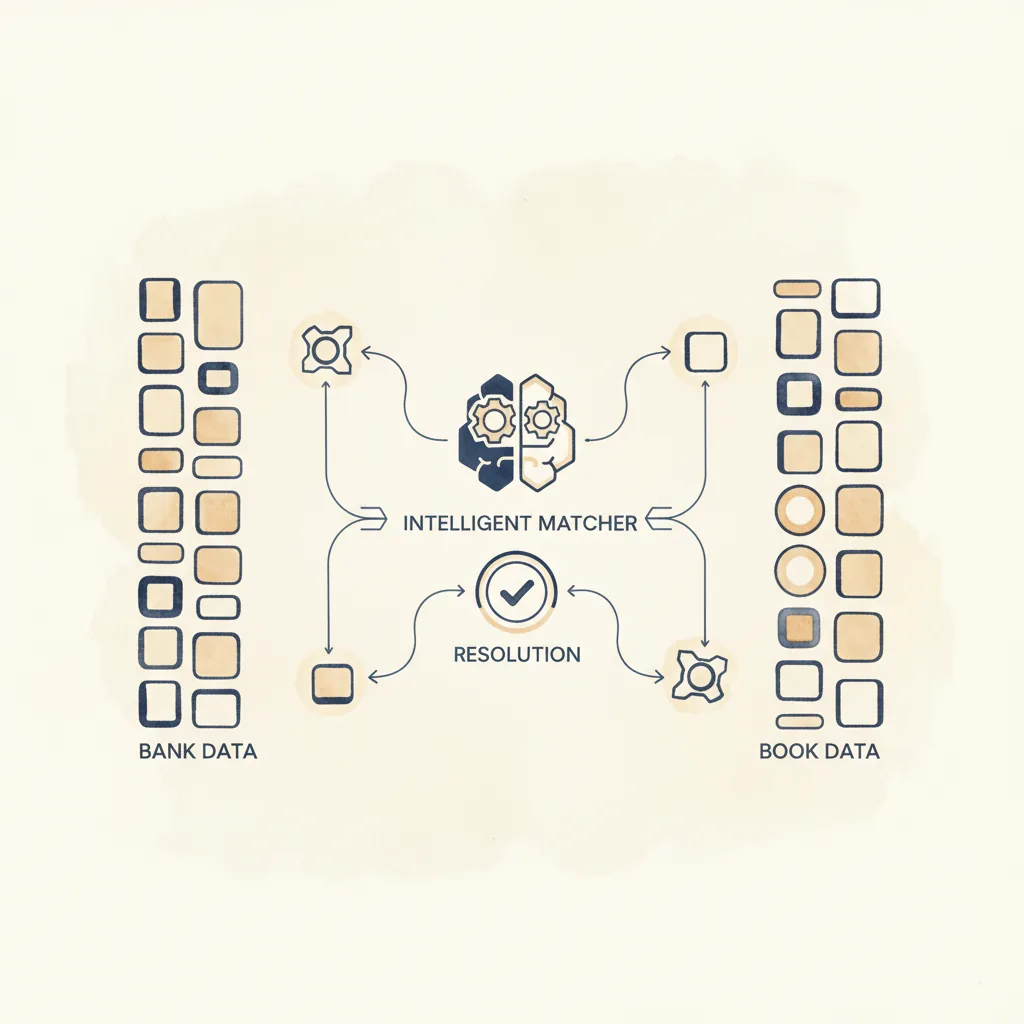
Quick answer
Automated bank reconciliation works through matching logic, not dashboards: fuzzy text matching with similarity scores (so TESCO STORES LTD matches VIS DEB TESCO 4521), configurable date tolerance for clearing delays, amount tolerance for rounding, and batch matching where one deposit covers several ledger entries. ReconcileIQ implements this with a C++ engine processing over 5,000 transactions per second, converts PDF statements from any bank to CSV, and connects to QuickBooks, Xero, Sage, Pandle, FreeAgent and YNAB via OAuth. Plans start at £5 per month; unmatched exceptions still need a bookkeeper's judgement.
- ReconcileIQ's C++ engine exceeds 5,000 transactions per second; a 3,000-row quarter reconciles in under a second.
- Fuzzy matching, date and amount tolerance, and batch matching handle the mismatches that defeat exact-match spreadsheets.
- Automation flags exceptions but cannot investigate them; human judgement on unmatched items remains manual work.
Automated bank reconciliation sounds simple in sales copy because nobody wants to state the difficult part plainly: real-world transactions do not arrive in neat, symmetrical pairs. Dates drift, descriptions mutate, fees split out, batches collapse multiple payments into one line, and imported ledgers contain their own mistakes.
The value of a reconciliation tool therefore lies in its matching logic, not its dashboard. This guide explains what that logic is actually doing, where it works well, and where a bookkeeper still earns their keep.
The reconciliation problem
Every reconciliation tool begins with the same uncomfortable fact: the two datasets that ought to agree are usually produced by different systems, at different times, under different naming conventions. One describes the world from the bank’s point of view. The other describes it from the ledger’s.
That gap sounds small until it accumulates. A fee is netted off. A receipt is posted three days later. A reference number replaces a customer name. One amount is typed incorrectly. Soon the management accounts are being trusted even though cash says otherwise. The AAT's bookkeeping standards treat regular reconciliation as a core control for exactly this reason.
For a small business with 50 transactions a month, manual vs automated reconciliation is tedious but manageable. Open the bank statement in one window, the accounting software in another, cross-reference line by line. Tick off the matches, investigate the differences, adjust where needed. An hour of work, perhaps two if there are complications.
For an accounting practice reconciling 20 clients with 500 transactions each, manual reconciliations can take up to an hour per client, consuming entire days. Mid-size companies spending 160 hours a month on manual reconciliation across four staff members can incur costs exceeding £67,000 annually in staff time alone.
That bottleneck is why reconciliation software exists. The question is why it took so long to arrive.
Why it stayed manual so long
Payroll automated decades ago because payroll is arithmetic. Hours multiplied by rates, statutory deductions calculated by fixed formulas, payments grouped and submitted in standard formats. No judgment required. Build the rules once, run them forever.
Invoicing followed a similar path. Template plus data equals document. Email it, track it, chase it. The workflow is linear.
Reconciliation requires judgment. Is this £247.50 the same as that £247.50? Only if it is the same date, same counterparty, same direction. What about £247.50 versus three transactions totalling £247.50? A payment marked "reference 4521" matching an invoice numbered "INV-4521"? A transaction dated 15 March in the bank statement matching one dated 18 March in the ledger because of clearing delays?
These are not edge cases. They are the routine reality of reconciliation. Fuzzy matching, date tolerance, batch matching, variance thresholds—every one of these requires an algorithm sophisticated enough to identify probable matches without generating so many false positives that the tool becomes a liability.
That sophistication did not exist in off-the-shelf accounting software until relatively recently, which is why reconciliation stayed in spreadsheets. VLOOKUP could handle exact matches on amount and date. Everything else required a human.
What bank reconciliation software actually does
The breakthrough was not a single innovation but the convergence of several. Faster processors made brute-force comparison viable even for datasets with tens of thousands of rows. Better algorithms reduced false matches. Cloud platforms removed the barrier of local installation and updates, making bank reconciliation software accessible to firms of any size.
What separates a modern automated reconciliation tool from a spreadsheet is the matching logic. Here is what that logic now handles in the best reconciliation software.
Fuzzy matching
Fuzzy matching identifies transactions that may not be exact matches but are likely to represent the same entity. Instead of requiring identical text, the algorithm calculates similarity scores based on techniques like the Levenshtein Distance—the minimum number of single character edits required to change one string into another.
"TESCO STORES LTD" matches "TESCO" matches "VIS DEB TESCO 4521". The algorithm normalises the text (lowercase, strip punctuation, remove common words like "LTD"), calculates overlap, and assigns a confidence score. High confidence appears as an automatic match. Lower confidence appears as a suggestion for review.
Date tolerance
A configurable window—typically three days but adjustable—that accounts for posting delays. A payment initiated on 15 March may not clear the bank until 17 March and may not appear in the accounting software until 18 March. Exact date matching would flag this as unmatched. Date tolerance within a window flags it as a probable match, weighted by the other criteria (amount, description).
Amount tolerance
Small variance matching for rounding differences, currency conversion, or bank fees. A transaction of £247.50 in the ledger matching £247.48 in the bank statement (a two-pence difference from a rounding adjustment) would be caught by an amount tolerance of £0.10. The tool flags it, you verify the reason, you accept or adjust.
Batch matching
Many-to-one and one-to-many matching. A single bank deposit of £3,420.75 may correspond to five separate invoice payments in the ledger. The algorithm identifies sets of transactions whose total matches the bank amount, ranks them by confidence (based on date proximity and description overlap), and presents them as suggested batch matches. This is where automation saves the most time, because manual batch matching in a spreadsheet requires trial-and-error summation across dozens of rows.
These techniques are not theoretical. Xero's bank reconciliation uses automated bank feeds and AI-driven transaction matching. Sage connects securely to bank accounts for automatic import with bank rules enabling automated reconciliation. The mid-market and enterprise tools—AutoRek, BlackLine, Nolan's automated reconciliation for ERP systems—have been doing this for years.
The limitation has been accessibility. Enterprise tools require implementation projects, IT support, and budgets starting in the tens of thousands. Mid-market tools assume you are running a recognised ERP system. Small businesses and sole practitioners were left with spreadsheets or expensive manual services.

The PDF problem
The biggest practical barrier is not the matching algorithm. It is getting data out of bank statements in the first place.
Most UK banks offer CSV downloads through online banking. Many business owners and bookkeepers end up with PDF statements instead. The client emails a scanned statement. The bank's online portal only retains 90 days of data and you need six months. A secondary account lacks online access entirely.
UK banks use different PDF layouts. Some put the date on the left and the balance on the right. Others stack credits and debits in separate columns. Some include running balances, others do not. Scanned statements add OCR complexity.
Generic PDF extraction produces messy results. Bank-specific templates tuned to each format—Lloyds, HSBC, NatWest, Barclays, Santander, Monzo, Starling, Halifax, Mettle, Tide, and others—extract structured data reliably. Tools supporting major UK banks can handle files up to 50MB, covering most monthly or yearly statements.
For practices handling multiple clients across different banks, PDF conversion eliminates the "I could not find the download button" emails. Every bank provides PDF statements. Converting them to CSV becomes a one-click task rather than a client education project.

The platform integration gap
CSV uploads work for everyone, but they introduce a repetitive step. If you are reconciling the same accounts every month, downloading the data from your accounting platform, saving it locally, and uploading it to a reconciliation tool becomes another manual task to automate away.
OAuth integrations remove that step. Authorise the connection once through your accounting provider's login page—no passwords shared—and the reconciliation tool can pull transaction data directly. Select the bank account, set the date range, fetch the ledger entries. One side of the reconciliation is now automated.
You still need the actual bank statement. Direct bank connections via Open Banking APIs exist but remain patchy in coverage and reliability, particularly for business accounts. Most reconciliation workflows still involve uploading a bank CSV or PDF. The accounting side, however, can be handled automatically once the OAuth connection is established.
The integrations available depend on the tool. Enterprise platforms connect to enterprise ERPs. Mid-market tools connect to QuickBooks, Xero, and Sage but often require setup projects. Smaller tools tend to focus on one or two platforms.
What is ReconcileIQ? An automated reconciliation tool built for speed
So what is ReconcileIQ? It is bank reconciliation software built for small and medium businesses, sole practitioners, bookkeepers, and accounting practices that need fast, accurate reconciliation without enterprise overhead. As an automated reconciliation tool, it handles the matching, the PDF conversion, and the platform integrations -- you sign up, upload two files, and get results.
Core features
- C++ matching engine: processes over 5,000 transactions per second, so a quarterly reconciliation with 3,000 rows finishes in under a second
- Fuzzy matching: handles description variations with confidence scoring
- Date and amount tolerance: configurable windows for clearing delays and rounding differences
- Batch matching: many-to-one and one-to-many matches for deposits and aggregated payments
- PDF conversion: any bank worldwide (Lloyds, HSBC, NatWest, Barclays, Santander, Monzo, Starling, Halifax, Mettle, Tide, TSB, Revolut, Nationwide, Co-op, Virgin Money, Clydesdale, Yorkshire)
- OAuth integrations: QuickBooks Online, Xero, Sage, Pandle, FreeAgent, YNAB
- Invoice-payment matching mode: match issued invoices to received payments, identify outstanding receivables and unmatched payments
The workflow is five steps. Upload two datasets (bank statement and accounting records, or invoice data and payment data). The tool auto-detects columns (date, amount, description) with manual override if needed. The matching engine runs. You review the results—matched pairs, unmatched items, suggested matches ranked by confidence. Export as PDF, CSV, or Excel.
The entire process takes minutes for a typical month-end reconciliation. No implementation project. No consultants. No training programme.
What differentiates the C++ engine
Most reconciliation tools run their matching logic in interpreted languages like JavaScript or Python. That works for small datasets but creates a ceiling. Comparing two lists of 10,000 transactions each means up to 100 million potential comparisons. Interpreted code starts to struggle.
ReconcileIQ's matching engine is written in C++ and compiled to native code. It runs as a standalone microservice that the web application calls through an internal API. Throughput exceeds 5,000 transactions per second—roughly 50 to 100 times faster than equivalent JavaScript implementations.
In practical terms, a quarterly reconciliation with 3,000 bank transactions and 3,200 ledger entries finishes in well under a second. An annual catch-up with 15,000 rows completes in a few seconds. You spend your time reviewing results, not waiting for them.
Security and data handling
Financial data is sensitive data. The ICO's UK GDPR guidance sets clear expectations for how financial information must be handled. ReconcileIQ uses AES-256 encryption for data in transit (TLS 1.3) and at rest. Uploaded files are processed temporarily and deleted after reconciliation. Platform integrations work through OAuth 2.0, so credentials are never stored—you authorise access through your accounting provider's own login screen, and the token can be revoked at any time.
If you save a reconciliation to your account history, the results are stored encrypted, but the original uploaded files are not retained. The platform is GDPR-compliant with audit trails for all actions and data deletion on request.
Pricing
ReconcileIQ uses a credit-based model. Plans start at £5 per month for the Starter tier (5,000 credits, suitable for sole traders and small businesses). The Accountant plan (£15/month, 25,000 credits) covers individual accountants managing a handful of clients. Practice tiers scale to £199/month for 500,000 credits. Annual billing provides roughly two months free. Overage credits are available at declining rates as plan tiers increase.
Credits are shared across The IQ Suite, which also includes CodeIQ (automated transaction coding) and LedgerIQ (general ledger analysis). One subscription, three tools.


Honest limitations
No reconciliation tool is 100 per cent automatic. The matched pairs are straightforward—identical amounts, close dates, similar descriptions. The unmatched items are where the real bookkeeping knowledge lives.
Why does this £450 appear in the bank but not in the ledger? Was it an unrecorded sale, a refund, a transfer from another account? Why does this £1,200 appear in the ledger but not in the bank? Was it recorded twice, posted to the wrong account, still clearing?
A tool can flag the discrepancies, rank the probable matches, and eliminate the mechanical drudgery of ticking off hundreds of identical transactions. It cannot replace the judgment required to investigate the exceptions. That remains manual work.
The value proposition is not elimination of effort. It is elimination of wasted effort. Instead of spending an hour cross-referencing 400 transactions to find the 12 that matter, you spend ten minutes reviewing the 12 that the tool has already identified as requiring attention. The hour becomes ten minutes, and the ten minutes are spent on the part that actually requires expertise.
The other limitation is scope. Enterprise tools handle multi-entity consolidation, workflow approvals across large teams, deep ERP integration, and compliance reporting for regulated industries. ReconcileIQ focuses on doing the core reconciliation exceptionally well and getting out of the way. If you need approval hierarchies and audit workflows for a 50-person finance team, you need BlackLine. If you need to reconcile 20 client bank accounts every month without the overhead of an enterprise deployment, ReconcileIQ is the better fit.
Upload two files. Get results in seconds.
Bank statement, accounting records, or invoice and payment data. The matching engine handles the rest.
Try ReconcileIQ freeFrequently Asked Questions
Why has bank reconciliation stayed manual for so long?
Unlike payroll or invoicing, reconciliation requires judgment. Is £247.50 the same as £247.50? Only if it is the same date, same counterparty, same direction. What about £247.50 versus three transactions totalling £247.50? These judgment calls—date tolerance, fuzzy matching, batch matching—are what kept reconciliation in spreadsheets while other workflows automated. The algorithms sophisticated enough to handle these scenarios reliably only became accessible in off-the-shelf software relatively recently.
What is fuzzy matching in bank reconciliation?
Fuzzy matching identifies transactions that may not be exact matches but are likely to represent the same entity. Instead of requiring identical text, the algorithm calculates similarity scores based on techniques like the Levenshtein Distance. "TESCO STORES LTD" matches "TESCO" matches "VIS DEB TESCO 4521". The text is normalised (lowercase, strip punctuation, remove common words), overlap is calculated, and a confidence score is assigned. High confidence appears as an automatic match, lower confidence as a suggestion for review.
How much time does manual bank reconciliation take?
Manual reconciliations typically take up to an hour for modest transaction volumes. For practices reconciling 20 clients with 500 transactions each, it becomes a bottleneck consuming entire days. Mid-size companies spending 160 hours a month on manual reconciliation across four staff members can incur costs exceeding £67,000 annually in staff time alone. Automated reconciliation usually takes less than 10 minutes when connected to banking systems.
Which banks' PDF statements can be converted to CSV?
Tools built on bank-specific templates are limited to the banks somebody has already written a template for, which is usually a list of large domestic names. Every bank lays a statement out differently: date positioning, column structure, how the balance is reported. ReconcileIQ is not template-bound. Where a layout is not recognised, the statement is read by AI vision instead, so statements from any bank in any country convert, in any language, including scans and photos.
What is ReconcileIQ?
ReconcileIQ is a bank reconciliation tool that uses a C++ matching engine processing over 5,000 transactions per second. It handles fuzzy matching, date tolerance windows, amount tolerance for rounding differences, and batch matching (many-to-one and one-to-many). It includes PDF conversion for any bank worldwide and connects to QuickBooks, Xero, Sage, Pandle, FreeAgent, and YNAB via OAuth. It also offers an invoice-payment matching mode for accounts receivable reconciliation.
How fast is ReconcileIQ?
ReconcileIQ's C++ matching engine processes over 5,000 transactions per second. A typical month-end reconciliation with several hundred transactions completes in under a second. A quarterly reconciliation with 3,000 bank transactions and 3,200 ledger entries finishes in well under a second. An annual catch-up with 15,000 rows completes in a few seconds rather than hours.
Which file formats does ReconcileIQ support?
ReconcileIQ accepts CSV, Excel (both .xls and .xlsx), and PDF uploads. The built-in PDF converter supports bank statements from any bank worldwide, including Lloyds, HSBC, NatWest, Barclays, Santander, Monzo, Starling, Halifax, Mettle, Tide, TSB, Revolut, Nationwide, Co-op, Virgin Money, Clydesdale, and Yorkshire Bank. Each bank's PDF format is handled by a bank-specific template.
Can ReconcileIQ connect to my accounting software?
Yes. ReconcileIQ connects via OAuth 2.0 to QuickBooks Online, Xero, Sage, Pandle, FreeAgent, and YNAB. Once authorised, you can select a bank account and date range to import transactions directly from your accounting platform, eliminating the need for manual CSV downloads. Your credentials are never stored—you authorise through your platform's own login page and can revoke access at any time.
How does ReconcileIQ ensure data security?
ReconcileIQ uses AES-256 encryption for data in transit (TLS 1.3) and at rest. Uploaded files are processed temporarily and deleted after reconciliation. Platform integrations use OAuth 2.0, so credentials are never stored. The platform is GDPR-compliant with audit trails for all actions and data deletion on request. If you save a reconciliation to your account history, the results are stored encrypted, but the original uploaded files are not retained.
What are ReconcileIQ's limitations?
No reconciliation tool is 100 per cent automatic. The matched pairs are straightforward, but the unmatched items—transactions appearing in one dataset but not the other—require investigation. Why does this £450 appear in the bank but not in the ledger? A tool can flag the discrepancies and rank probable matches, but it cannot replace the judgment required to investigate exceptions. The value is eliminating wasted effort: instead of spending an hour cross-referencing 400 transactions to find the 12 that matter, you spend ten minutes reviewing the 12 the tool has identified.
How much does ReconcileIQ cost?
ReconcileIQ uses a credit-based pricing model starting at £5 per month for the Starter plan (5,000 credits). The Accountant plan is £15/month (25,000 credits). Practice tiers are £39/month (50,000 credits), £79/month (150,000 credits), and £199/month (500,000 credits). Annual billing provides roughly two months free. Credits are shared across The IQ Suite (ReconcileIQ, CodeIQ, LedgerIQ).